yt-dlp without the command line
yt-dlp is the most powerful video downloader there is — but it lives in the terminal. SVD gives you the same engine through a native app you click. No Python, no commands, no PATH. Updated for 2026.
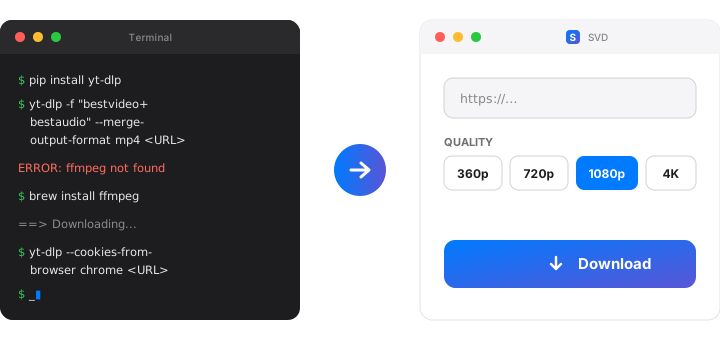
The problem with yt-dlp for most people
yt-dlp is free, open-source, and supports 1,800+ sites. It is genuinely the best extractor available. But using it means opening a terminal, installing Python, running pip install yt-dlp, learning format selectors like -f "bestvideo+bestaudio", installing ffmpeg separately so audio and video merge, and re-running commands when an extractor breaks.
For developers that's fine. For everyone else, it's a wall. SVD removes that wall while keeping the engine.
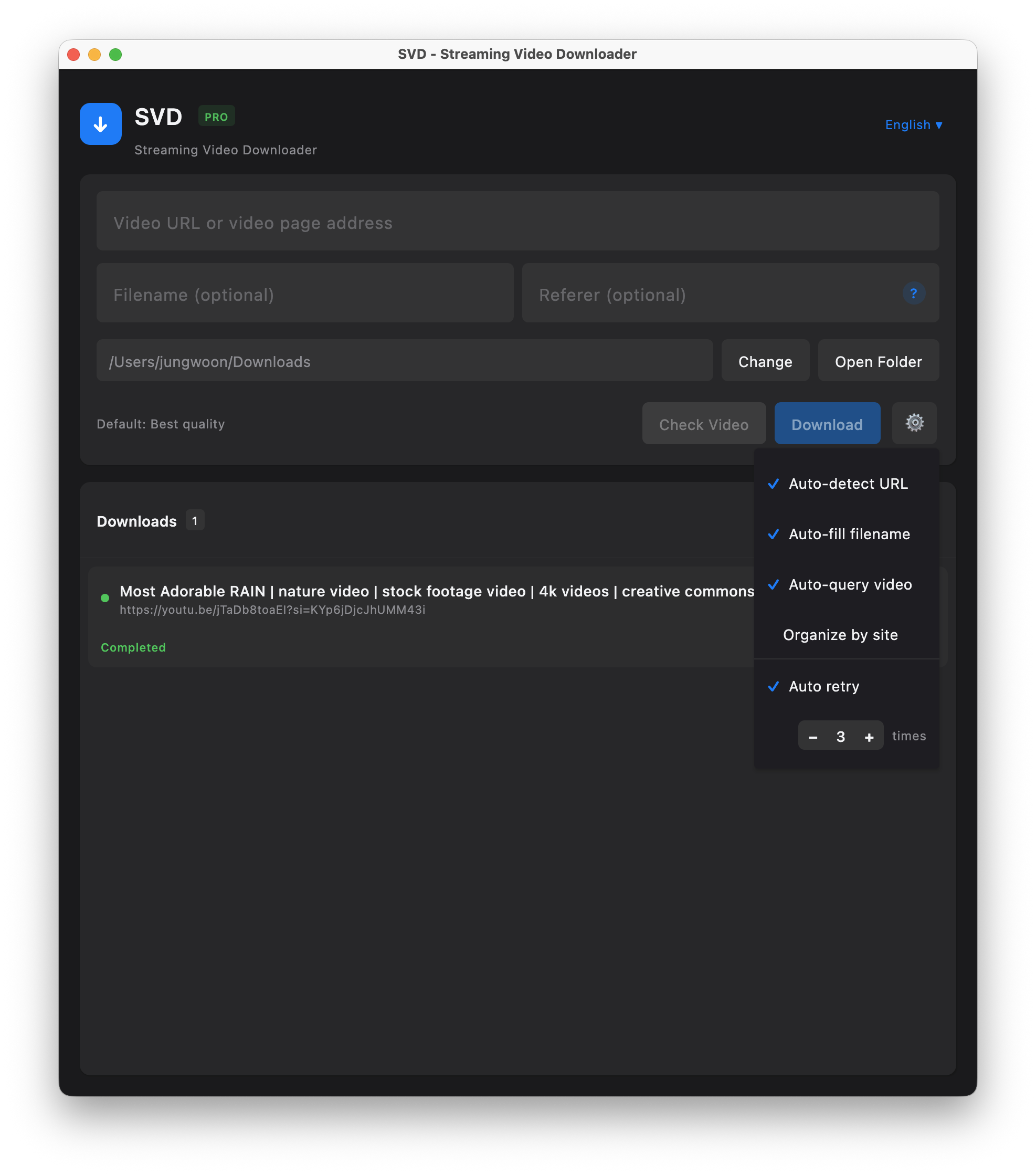
How SVD turns yt-dlp into clicks
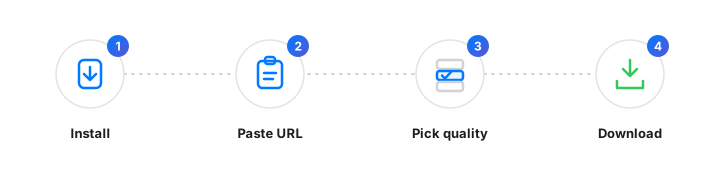
Install one app
yt-dlp and ffmpeg are bundled inside SVD. No Python, no pip, no terminal. The Mac build is signed and notarized; Windows ships as a standard MSI.
Paste a URL
Copy any video link. SVD detects it from your clipboard — you never type a command or a flag.
Pick from a list
Every format yt-dlp can extract appears as a clickable option — resolution, codec, MP4/WebM/MP3. No -f selectors to memorize.
Click download
SVD runs yt-dlp, merges tracks with ffmpeg, retries failures, and offers a one-click yt-dlp update so extractors don't go stale.
Try the yt-dlp GUI
Free 7-day trial. No account required. Everything runs on your device.
SVD vs yt-dlp vs other GUIs
| Approach | Terminal needed | Bundled ffmpeg | One-click yt-dlp updates | Code-signed app (macOS) |
|---|---|---|---|---|
| SVD | No | Yes | Yes | Yes (macOS, notarized) |
| yt-dlp (CLI) | Yes | Install separately | Manual | N/A |
| Open-source yt-dlp GUIs | Usually no | Varies | Often manual | Often unsigned (Gatekeeper warning) |
| Online "paste URL" sites | No | N/A | N/A | Your URL goes to their server |
If you live in the terminal, plain yt-dlp is fantastic and free — use it. SVD is for everyone who wants that same engine without learning any of it, in a maintained app that won't trigger a Gatekeeper warning and keeps its extractor fresh on its own.
Frequently asked questions
Is SVD just a yt-dlp wrapper?
It uses yt-dlp as the engine, plus a native UI, clipboard detection, a format picker, bundled ffmpeg, automatic retries, a browser extension for referer-gated streams, and self-updating yt-dlp. The power of yt-dlp without the terminal.
Do I need Python or a separate yt-dlp install?
No. yt-dlp and ffmpeg ship inside the app. No Python, no pip, no PATH, no command line — ever.
yt-dlp is free — why pay for SVD?
If you're comfortable on the command line, use yt-dlp. SVD is for people who want a maintained GUI, one-click yt-dlp updates, a format picker, and an Apple-notarized Mac build. Free trial, then a one-time lifetime license — no subscription.
Which sites work?
The same 1,800+ sites yt-dlp supports, since SVD bundles and updates yt-dlp — including platforms that serve HLS (m3u8) or DASH segmented streams.
Does my data stay private?
Yes. Everything runs locally — video goes directly from the source to your disk. No proxy server, no uploaded URLs, no history stored. SVD has no servers.
Get yt-dlp's power, skip the terminal
Free 7-day trial · No credit card · Apple-notarized (macOS) · Works offline