Detect videos on any page.
Download with one click.
The SVD Chrome extension watches pages for video streams and sends them to the SVD desktop app for private, local downloads. Works with 1,800+ sites, including streaming platforms with m3u8/HLS streams.
Download extension (v3.1.0)What the extension does
Detects any video
Watches network traffic and page HTML for m3u8, mp4, and other video streams.
One-click download
Sends detected streams to the SVD desktop app. No copy-paste, no context switching.
Smart filtering
Automatically hides preview clips, segments, and ads. Shows only the real video.
Fully local
Communicates only with your local SVD app (localhost). Nothing leaves your machine.
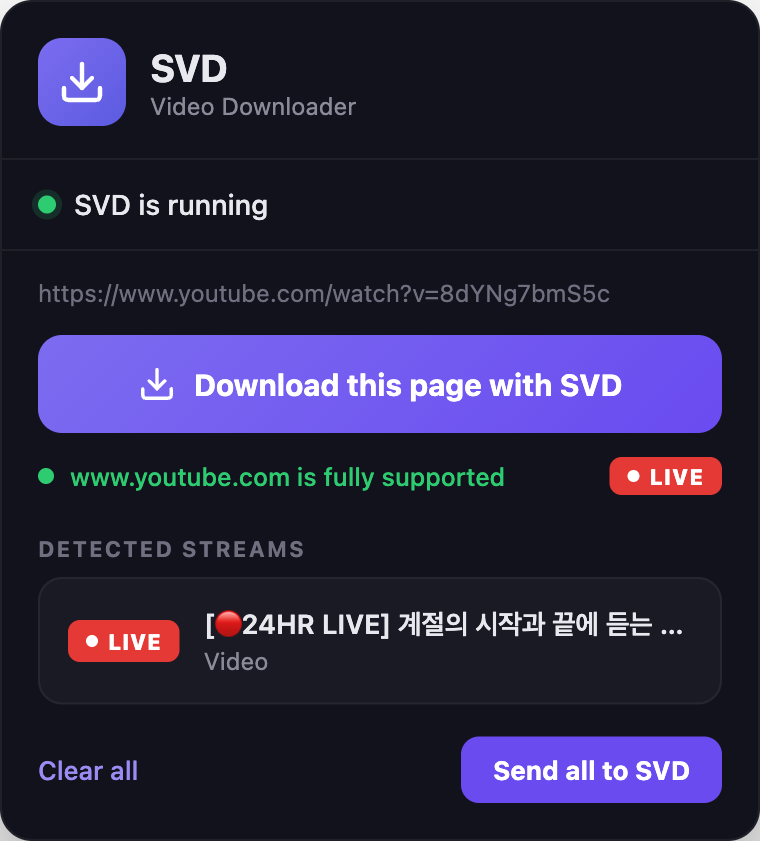
Spots live streams
When a page is broadcasting live, the extension flags it with a LIVE badge — record the stream to your Mac or PC in one click.
Before you install
Installation — 7 easy steps
Install the SVD desktop app
If you haven't already, download SVD for macOS or Windows and launch it.
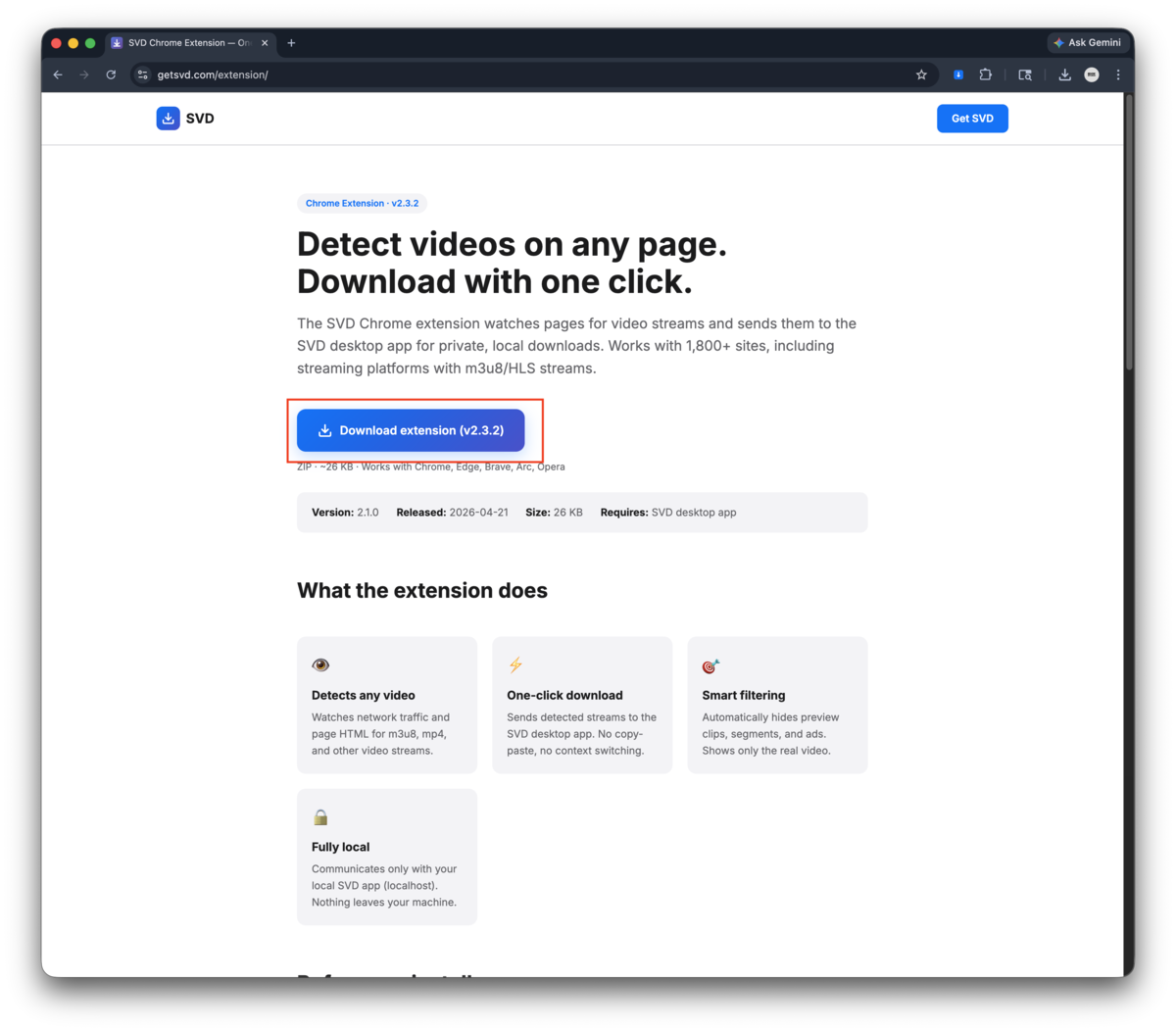
Download the extension ZIP
Click the button above or this direct link to download svd-chrome-extension-v3.1.0.zip.
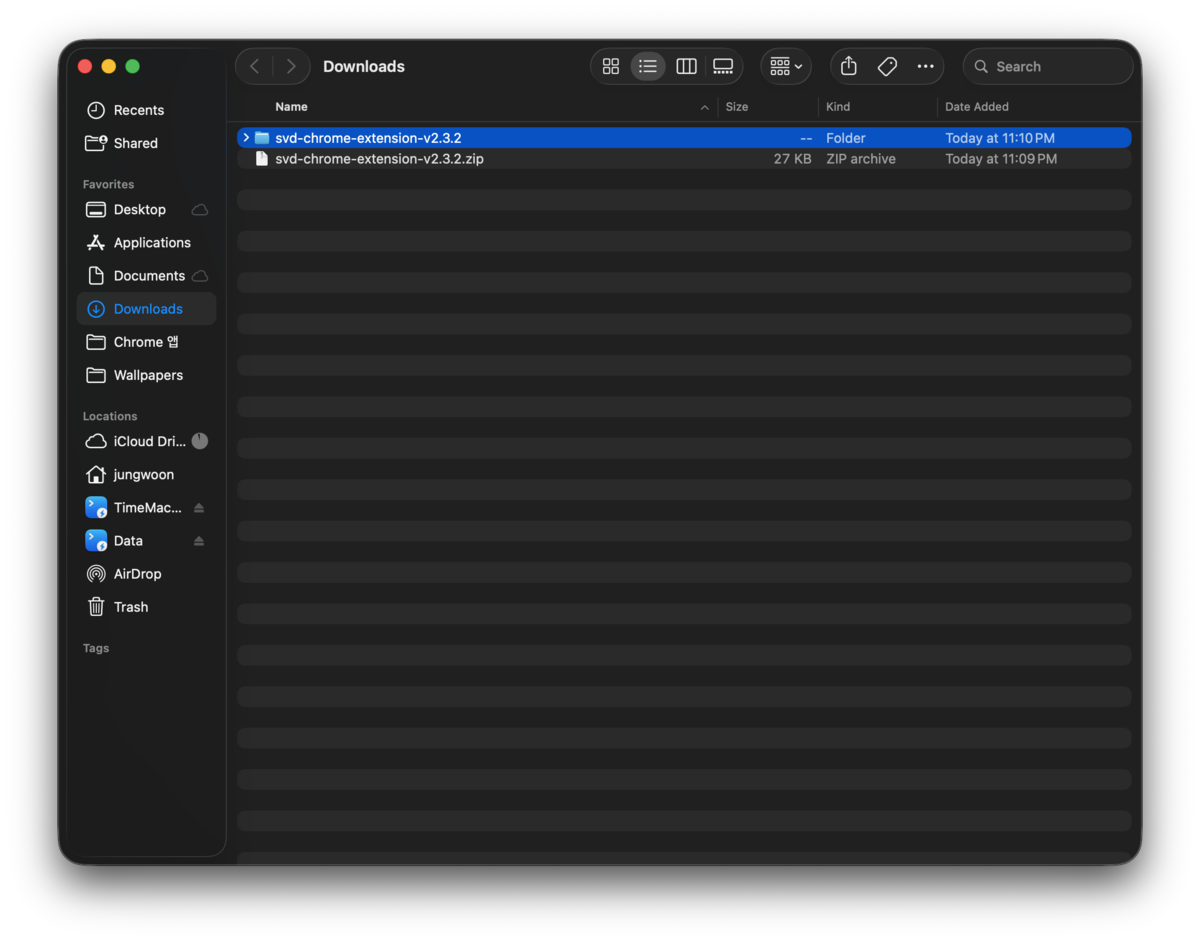
Unzip to a permanent folder
Extract the ZIP to a folder you won't delete (e.g. ~/Applications/SVD-Extension or Documents/SVD-Extension). Chrome needs this folder to stay in place.
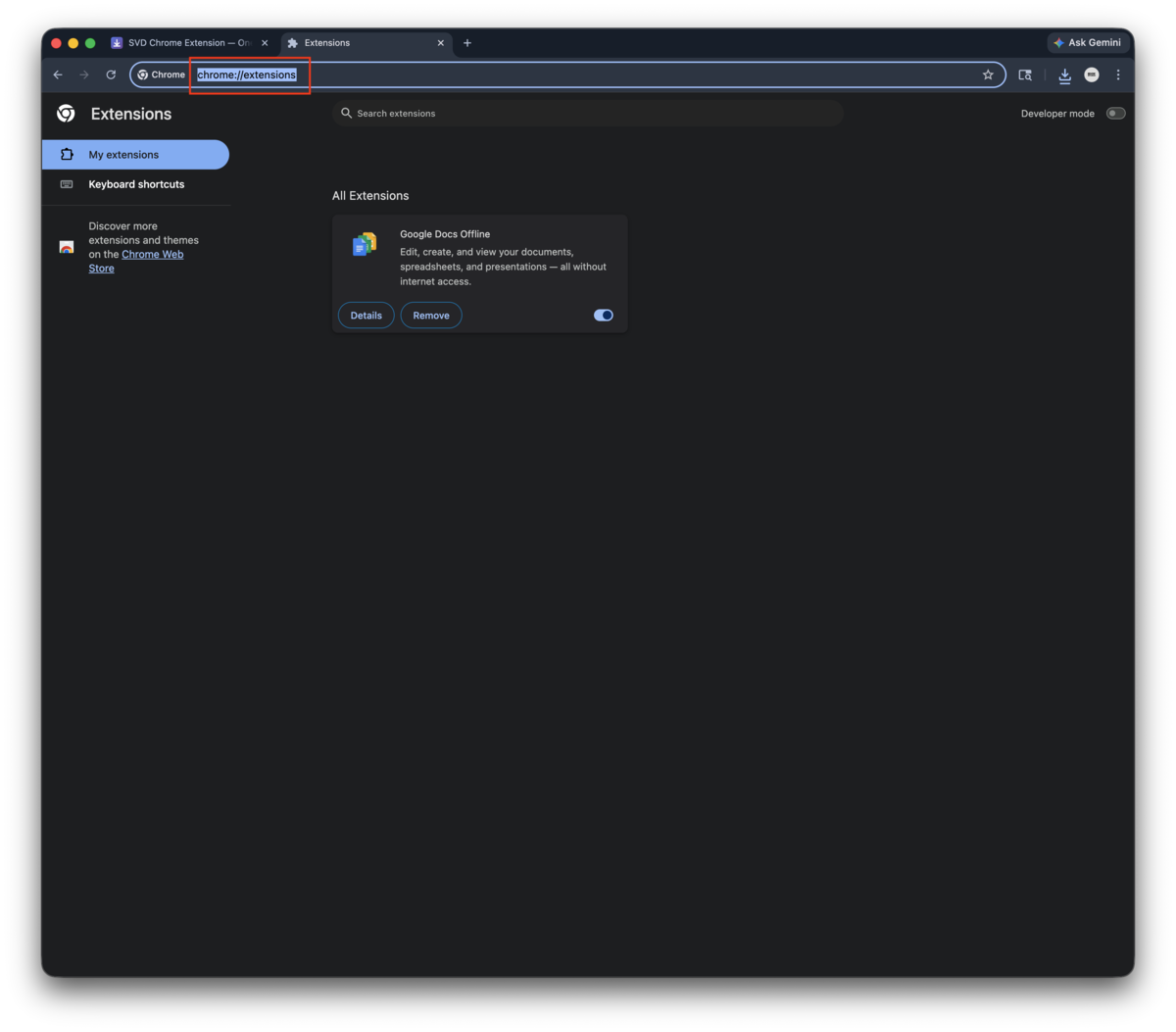
Open Chrome Extensions
Type chrome://extensions/ in your browser address bar and press Enter. Works in Chrome, Edge, Brave, Arc, Opera, and other Chromium-based browsers.
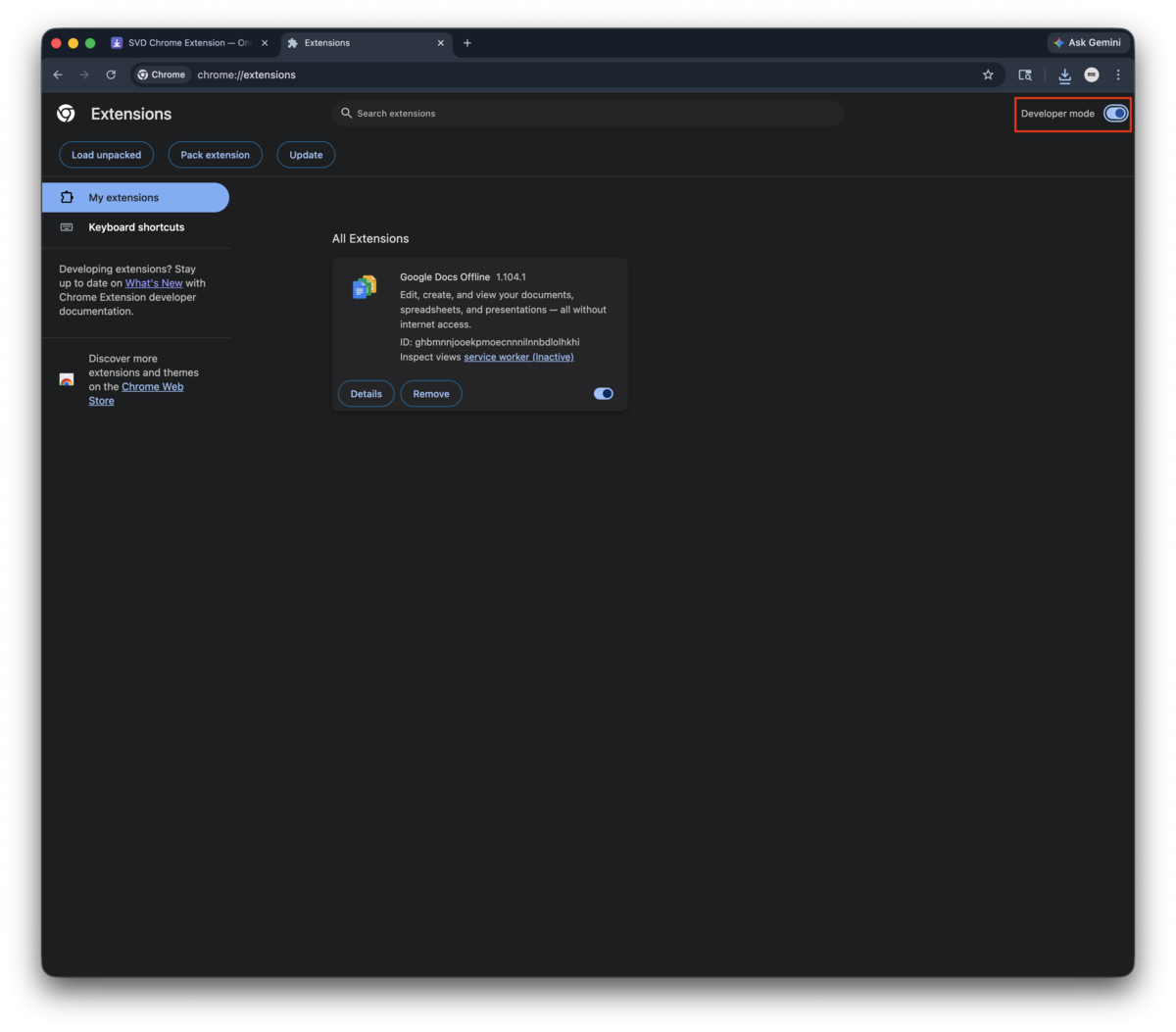
Enable Developer mode
Toggle Developer mode in the top-right corner of the extensions page.
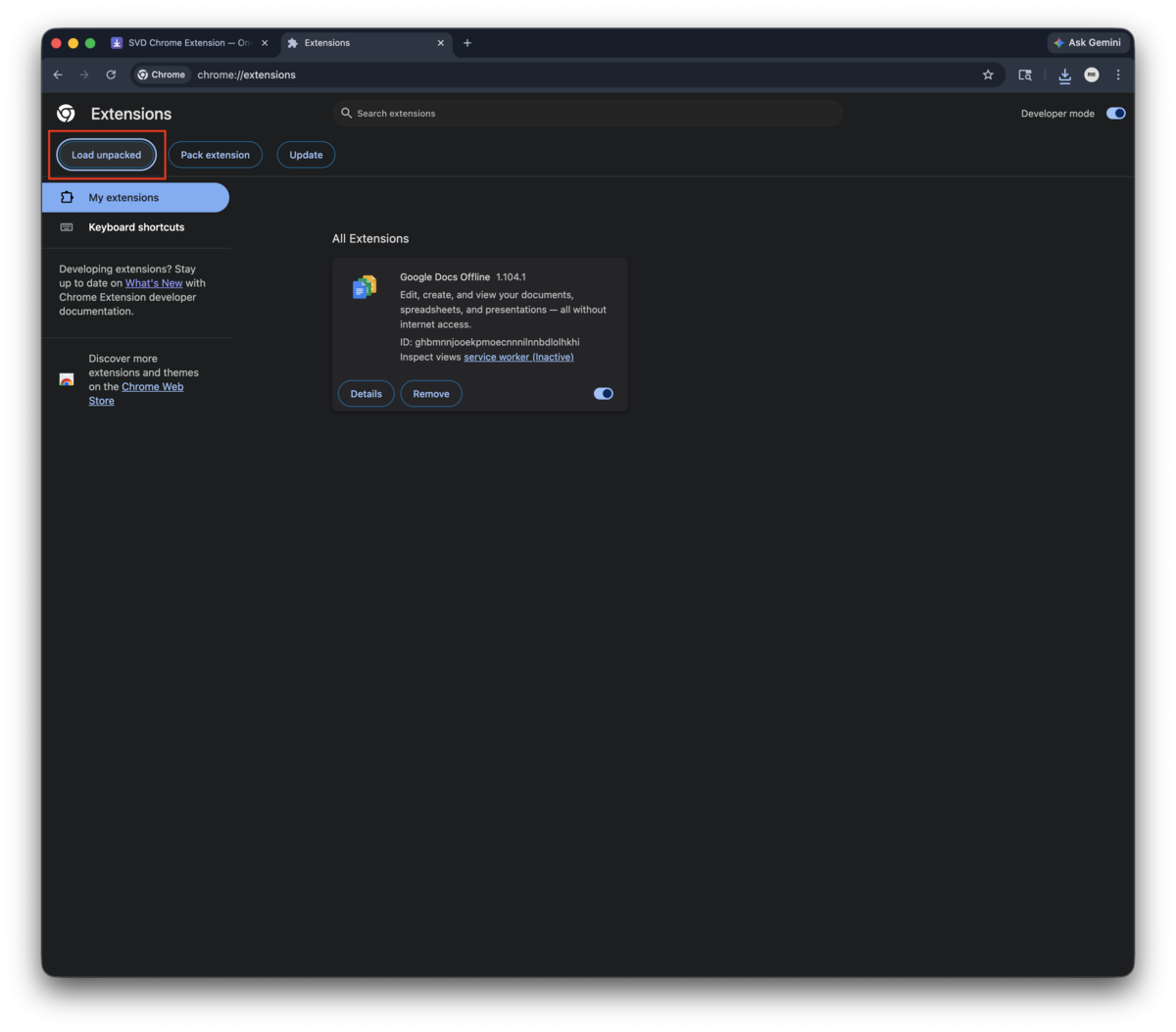
Load unpacked
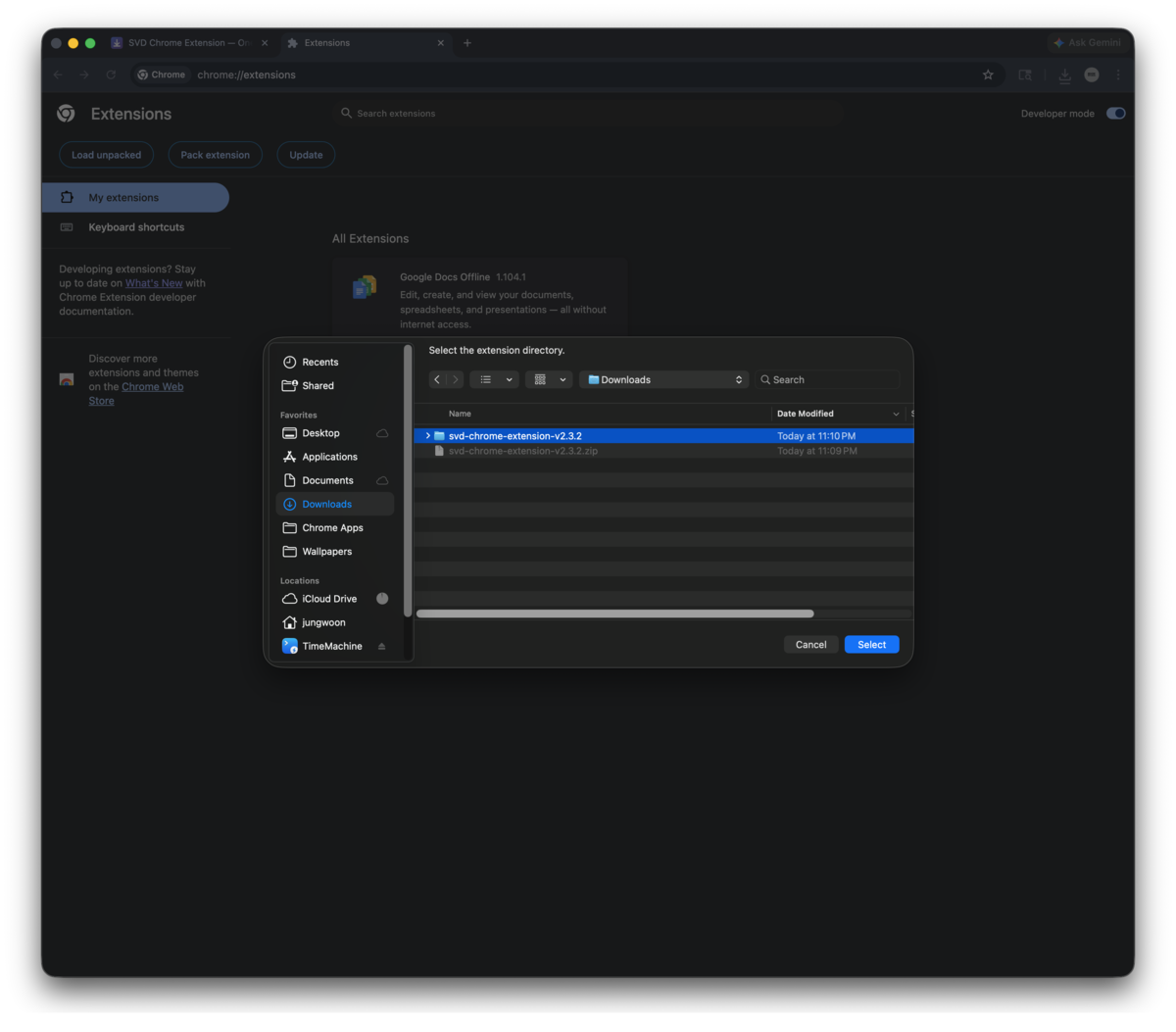
Click Load unpacked in the top-left, then select the unzipped svd-chrome-extension-v3.1.0 folder (the one containing manifest.json).
Pin the extension
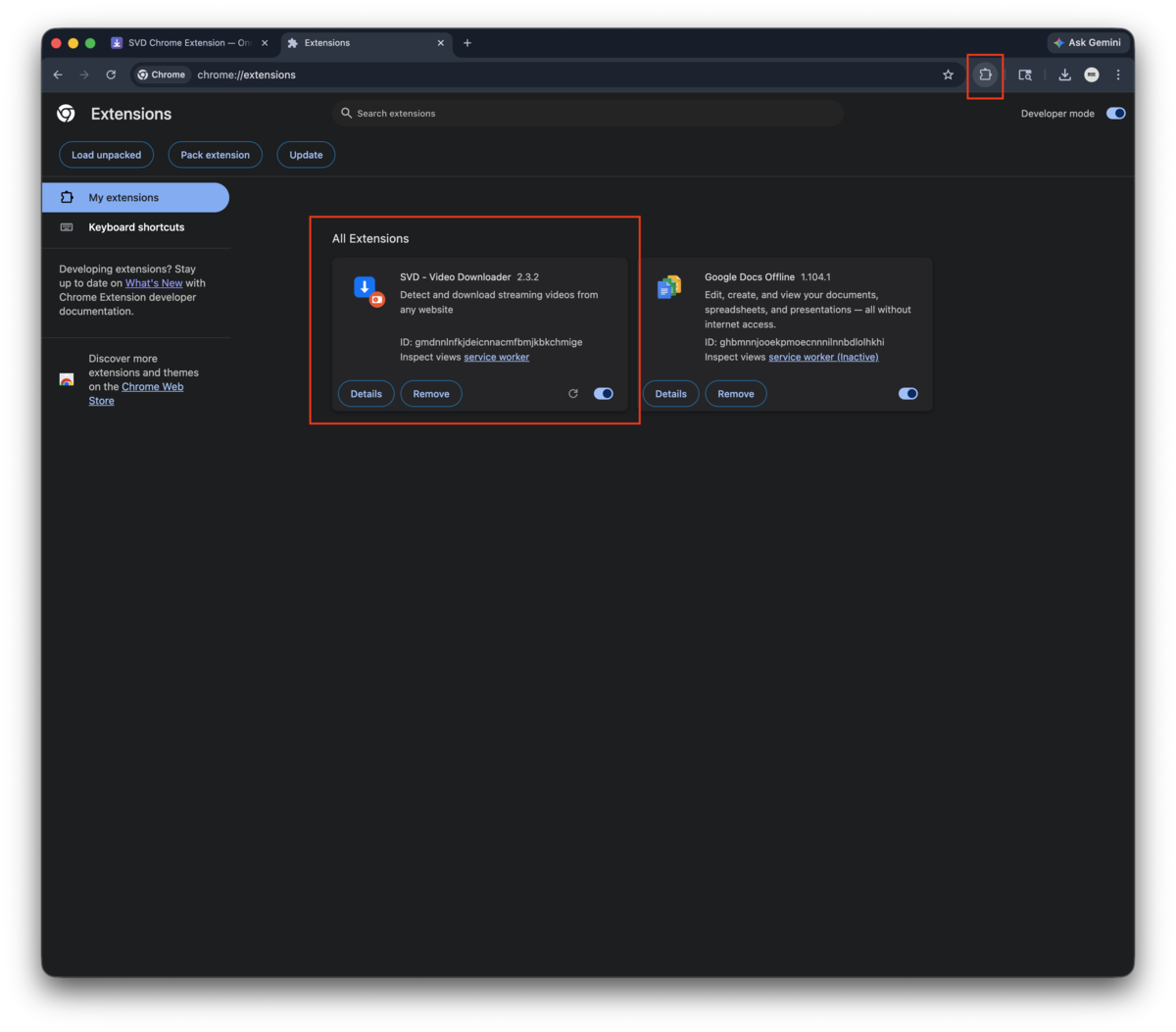
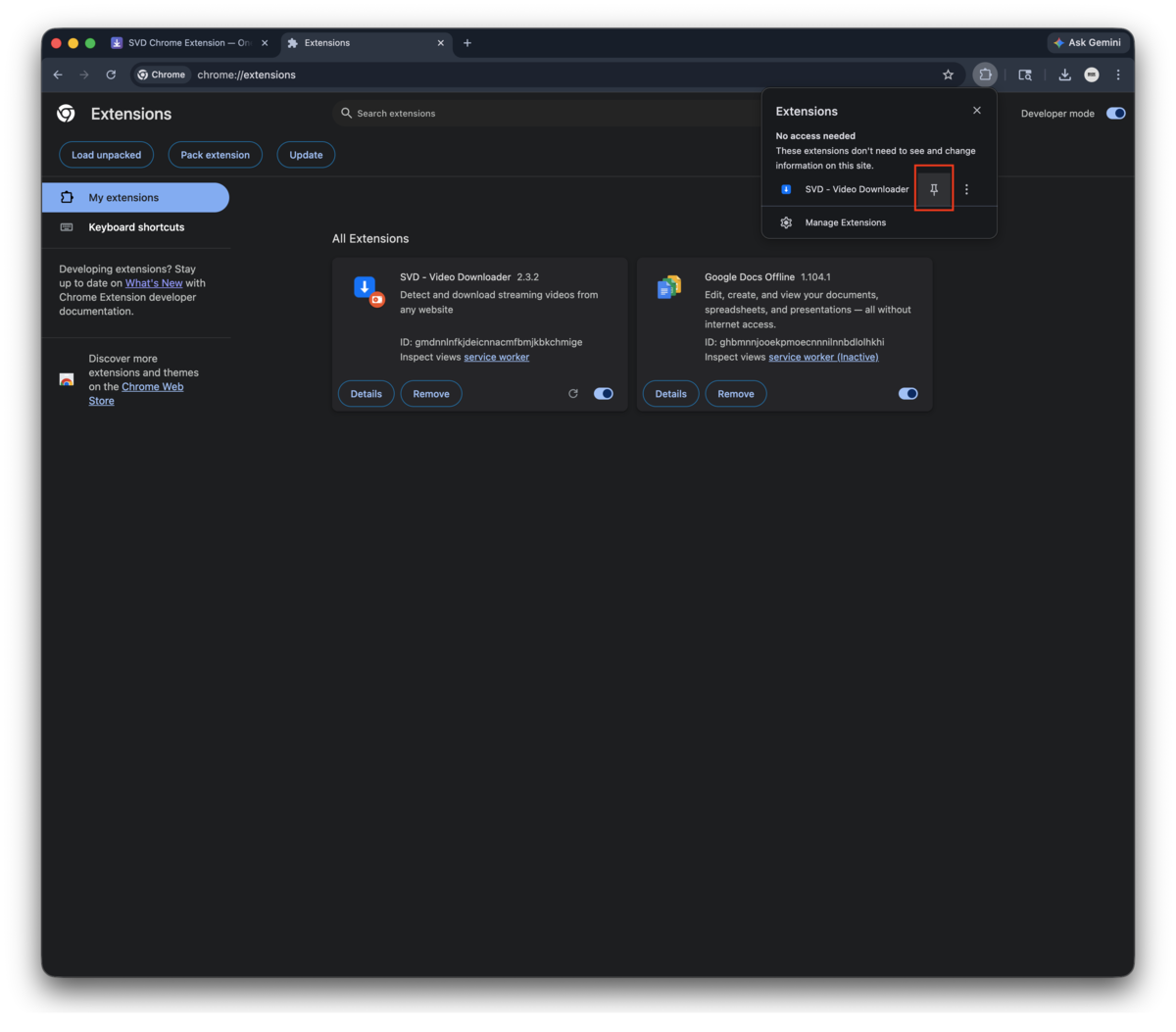
The SVD - Video Downloader card now shows in your extensions list. Click the puzzle-piece icon in Chrome's toolbar, find SVD, and click the pin icon so the SVD button is always visible.
You're done — confirm it's working
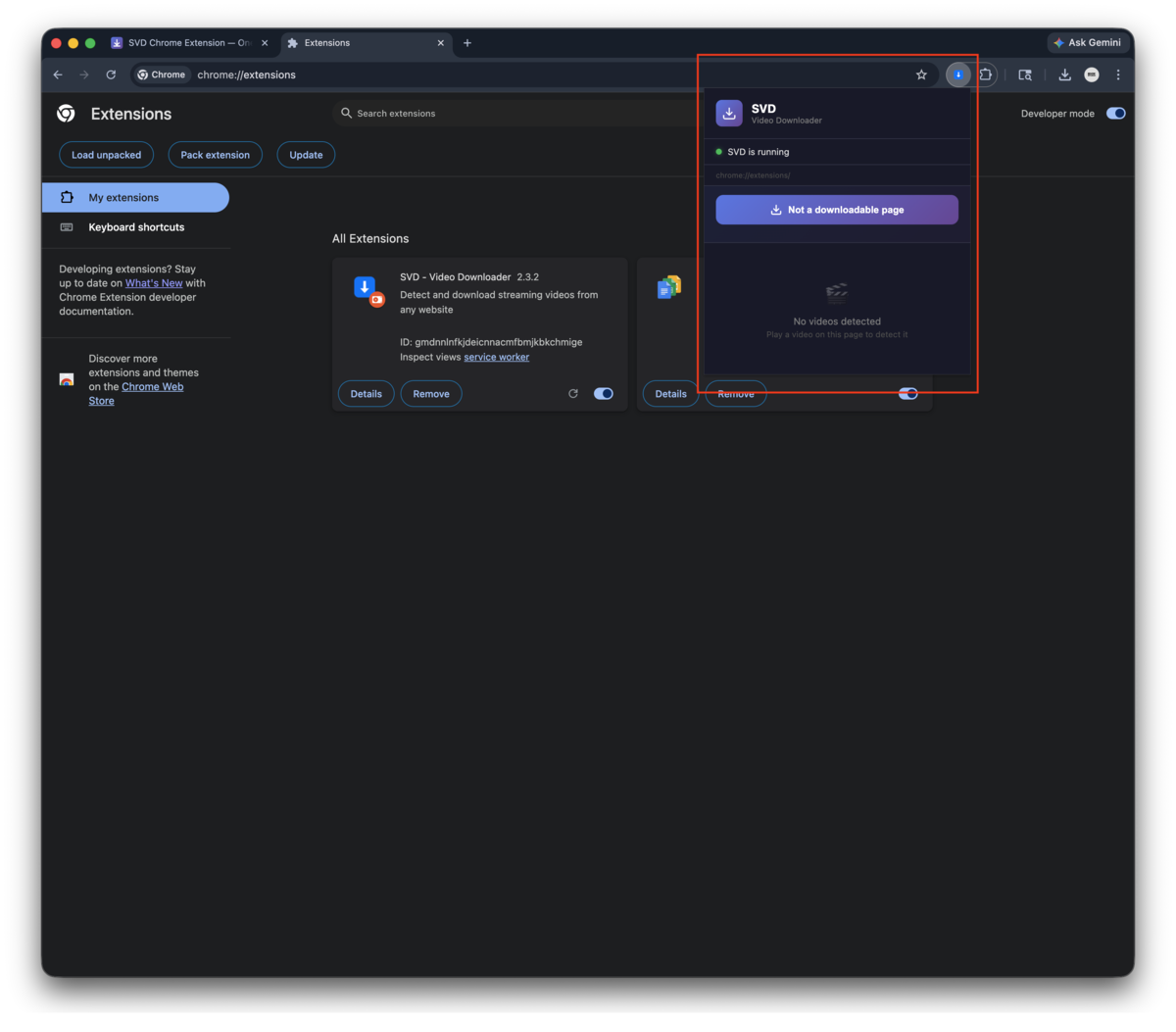
Click the SVD icon in the toolbar. If you see "SVD is running" with a green dot, the extension is connected to your local SVD desktop app and ready to capture videos.
Using the extension
- Open any video page (YouTube, Twitch, Bilibili, Vimeo, m3u8 sites, etc.)
- Click the SVD icon in your browser toolbar
- Click "Download this page" — SVD handles extraction automatically
- Or pick a specific stream from the Detected streams list (power users)
Troubleshooting
"SVD is not running" error
The extension needs the SVD desktop app running. Launch SVD and try again.
Extension disappears after Chrome restart
This is normal for developer-mode extensions. Chrome may show a warning on startup — just click Keep it. If it's fully removed, reload from chrome://extensions/.
Nothing detected on a page
Click "Download this page" — SVD's backend will analyze the page directly. This works even when the extension can't find the video URL. You can also paste a video link into the panel and send it.
Korean users: SNI-blocked sites
If the site isn't loading in your browser (common with Korean network restrictions), the extension can't detect videos either. See the Korean FAQ for network workarounds.
Privacy
The extension communicates only with localhost:52525 — your own machine's SVD app. No data is sent to any external server. No analytics, no telemetry, no tracking.
Version history
Check the extension-version.json manifest for the latest release info and changelog.