Files land where you expect them
SVD can put each download in a folder named after the site, and each live recording in a folder named after the streamer. For people who watch many channels, it can also keep only the most recent files once a broadcast ends.
Default is simple. A folder per streamer is on, a folder per site is off, and nothing is ever deleted unless you turn cleanup on yourself.
Folders
- Per streamer — recordings from a watched channel go to a folder with that channel's name, part by part.
- Per site — optional: downloads are grouped by the site they came from.
- Names stay safe — characters a filesystem cannot take are replaced, and reserved Windows names are avoided.
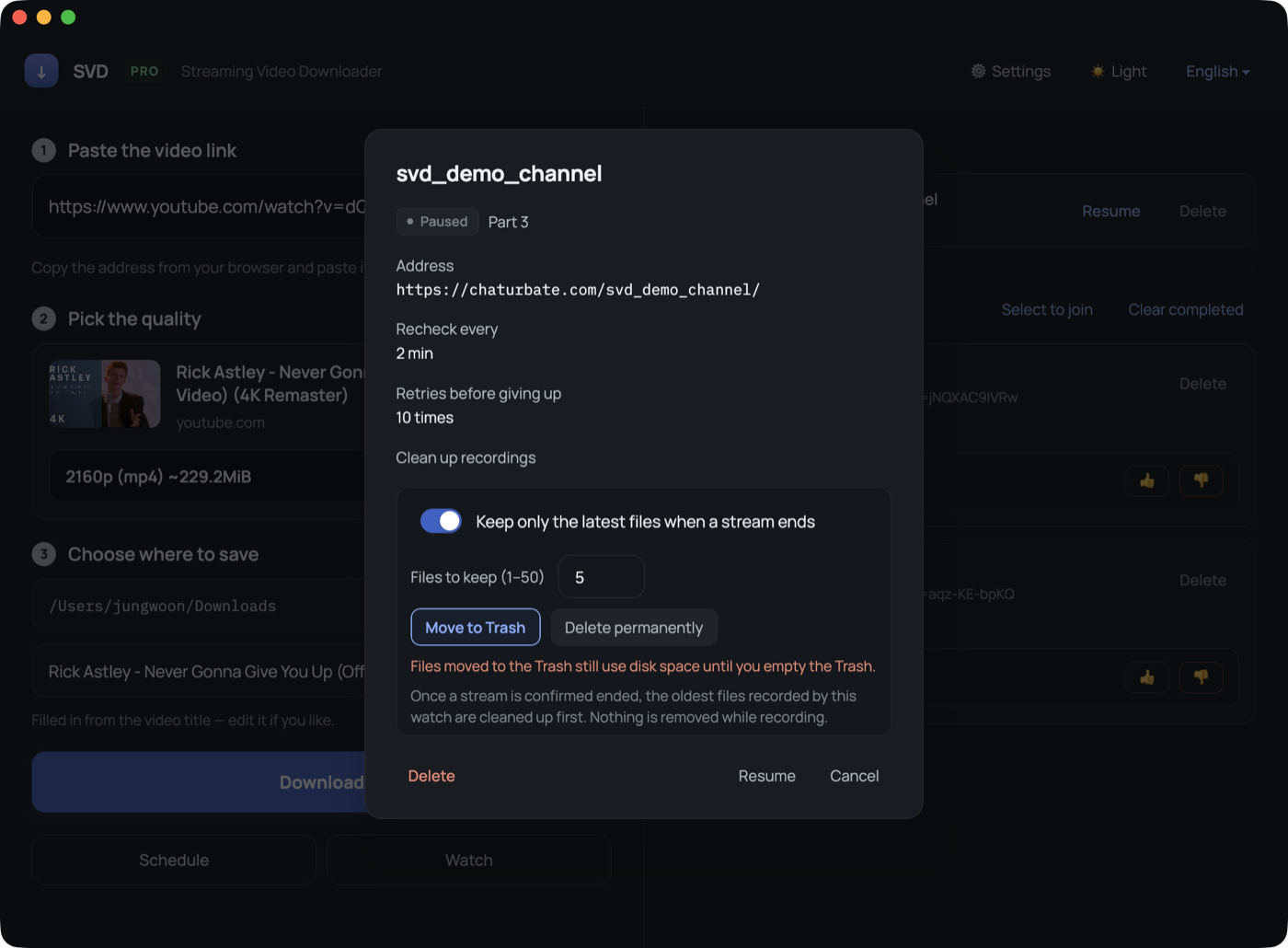
Keeping only the latest
Turn on cleanup for a channel and choose how many files to keep. When SVD confirms the broadcast has ended, older recordings from that channel are moved to the Trash — or deleted outright if you prefer.
- Nothing is removed while a recording is running.
- A private show or a failed check does not count as "ended".
- Only files SVD recorded for that channel are considered — your other files are never touched.
FAQ
Does the Trash option free disk space?
Not until you empty the Trash. If you need the space back immediately, choose permanent deletion instead.
Can I turn cleanup on for channels I already added?
Yes. Open the channel from the watch list and change it there.