Take the resolution you want — or just the audio
After SVD reads a link it lists what the site actually offers: resolutions, file sizes and an audio-only option. Pick one, or leave it alone and SVD takes the best video and audio available.
No re-encoding. SVD saves the original stream. What you get is what the site serves, not a converted copy.
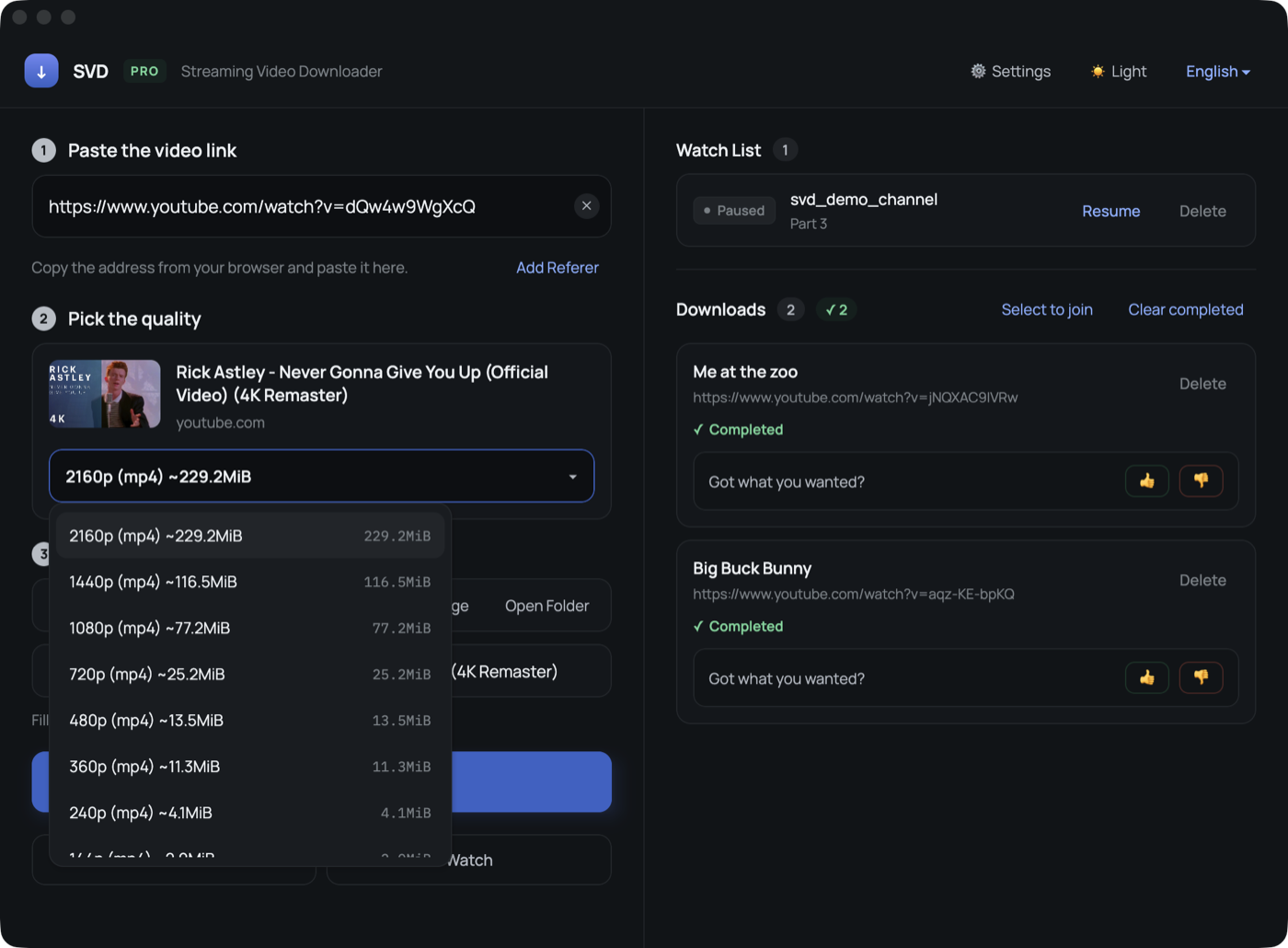
What you can pick
- Resolution — up to 4K where the site offers it, with the approximate size next to each option.
- Audio only — extract the sound as MP3 for talks, music sets or podcasts.
- Best available — the default: highest video plus matching audio, merged into one file.
Live streams
For a live stream there is nothing to pick — the broadcast is recorded as it comes in. Quality follows the stream itself.
Filename and location
The filename is filled in from the video title and can be edited before you start. The save folder is shown right above the download button, and Open Folder takes you there once the file lands.
FAQ
Why are some resolutions missing?
Only what the site provides is listed. If a site serves a single combined stream, you will see one option.
Can it download DRM-protected video?
No. SVD does not break DRM. It saves streams that play without protection.