Record a time window you choose
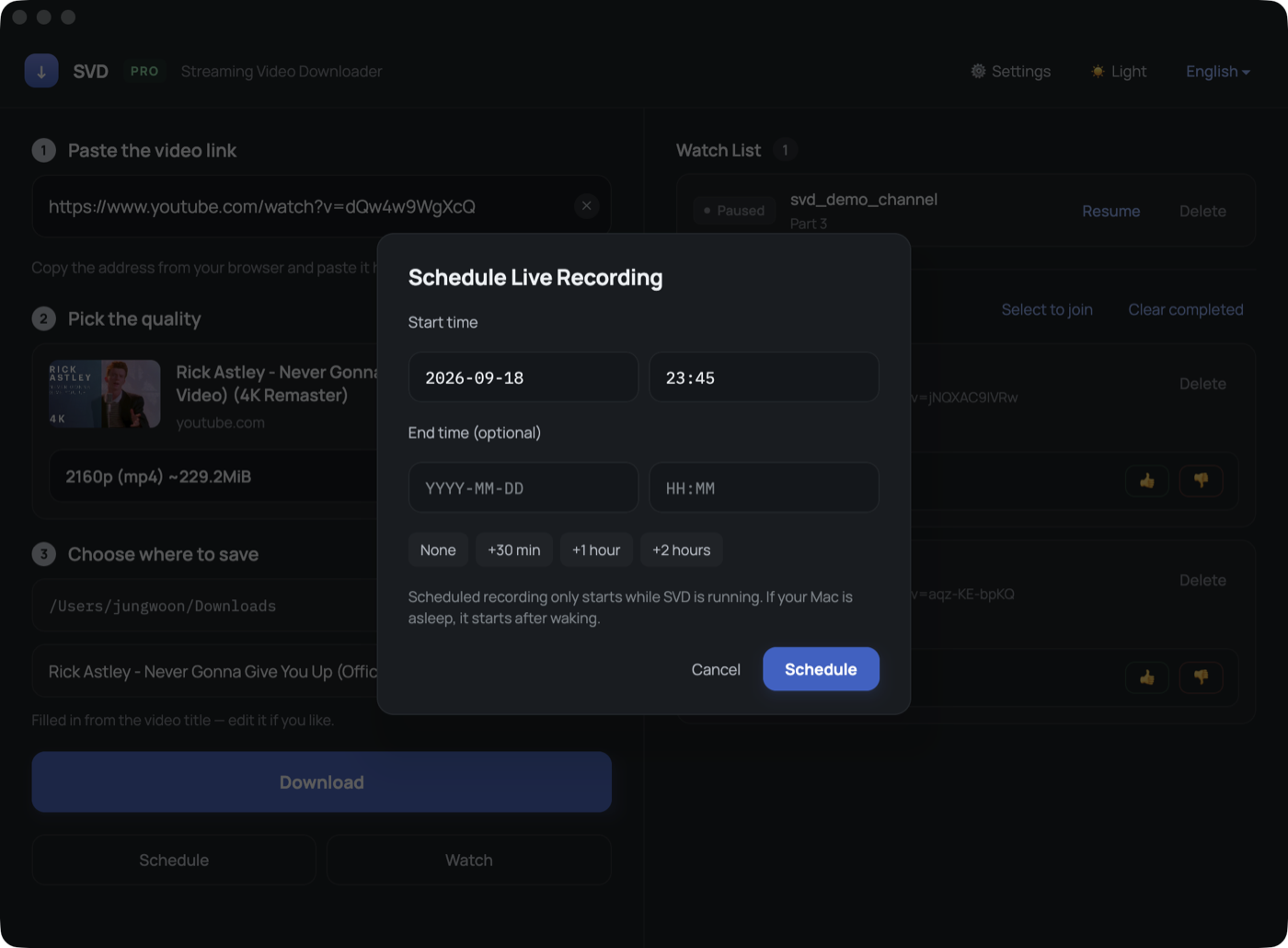
Set a start time — and a stop time if you want one — and SVD records that window on its own. Useful for a broadcast that starts at a fixed hour while you are away from the desk.
Note. SVD must be open when the time comes. If the Mac is asleep it starts once it wakes.
Setting one up
1
Paste the link
Put the stream or video address in the first field.
2
Press Schedule
Pick a start time; presets add 30 minutes, 1 hour or 2 hours for the stop time.
3
Leave SVD open
The schedule list shows waiting, recording, done, missed or failed.
4
It saves itself
At the stop time the recording is finalised and saved like any other file.
Good to know
- Starts on the minute you set — SVD checks the moment a schedule is due.
- If SVD was closed at the start time, the schedule is marked as missed rather than starting late.
- A schedule that fails to start retries for a while before giving up, in case the broadcast is a few minutes late.
FAQ
Can I schedule a normal video, not a live stream?
Yes, but there is little reason to — a published video can be downloaded right away.