Record a channel every time it goes live
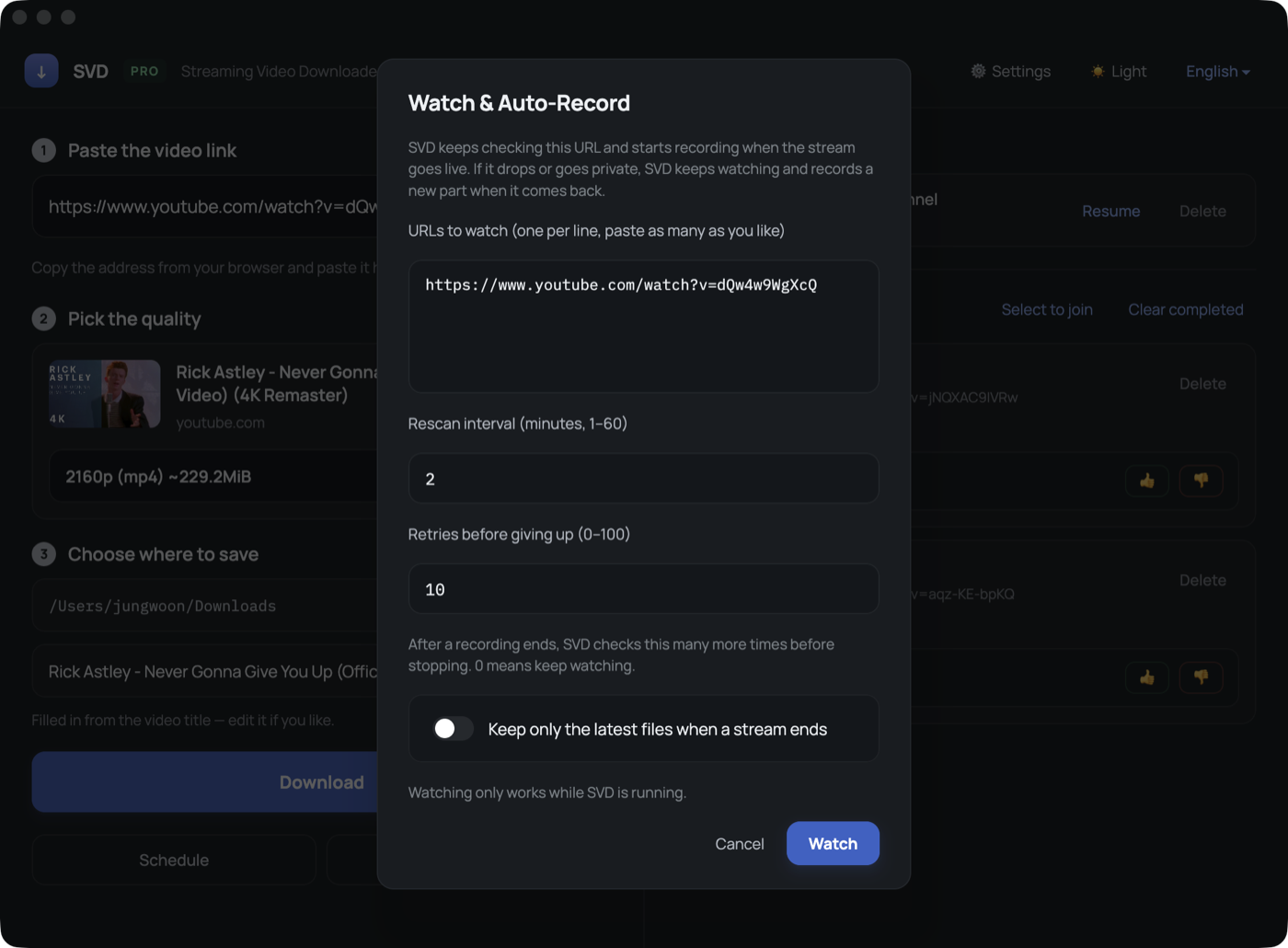
Register a stream address once. SVD checks it on a schedule, starts recording the moment the channel is live, and picks the recording back up if the stream drops or turns private.
What it handles
- Goes live while you sleep — the check runs on its own interval, so you do not have to sit and wait.
- Drops mid-stream — SVD checks again shortly after and continues as a new part.
- Private or away — those are not counted as "offline", so a private show does not make SVD give up.
- Low disk — watching stops on its own when free space runs low, instead of filling the drive.
How it works
Open Watch
Click Watch and paste one or more stream addresses.
Set the interval
Choose how often to re-check, and how many times to retry before giving up.
Leave it running
Each channel shows its state: watching, recording, paused or given up.
Find your files
Recordings land in a folder named after the streamer, part by part.
Managing a long list
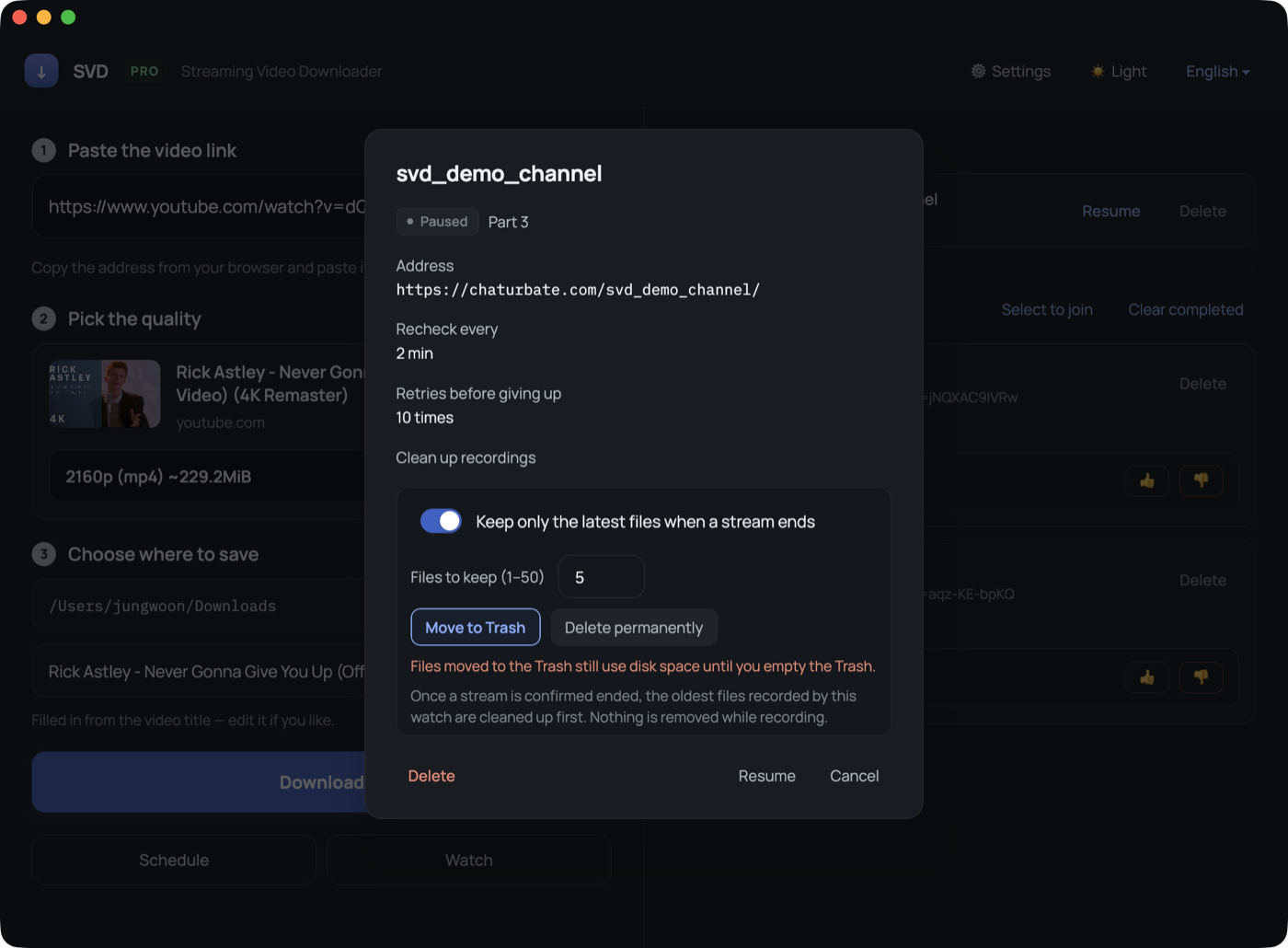
With dozens of channels registered, the list can be sorted by name and searched by name or address. Every row has a Delete button that stays visible while a watch is running, and the chevron on the right opens a panel with the address, the re-check interval and the cleanup settings.
FAQ
Does SVD keep recording after I close it?
No. Watching and recording only work while SVD is open. Closing the window stops any recording in progress and saves what was captured.
What if the stream never starts?
SVD keeps checking. After a recording has happened, it gives up once the retry count is reached — a number you set.