How to Download m3u8 / HLS Streams as MP4
A technical guide for downloading any HTTP Live Streaming playlist to a single local MP4 — including master playlists, AES-128 encrypted segments, and live HLS streams. No command line, no re-encoding.
.m3u8 URL in DevTools, paste into SVD, pick a rendition, click download. SVD handles master playlists, encryption, and segment reassembly automatically.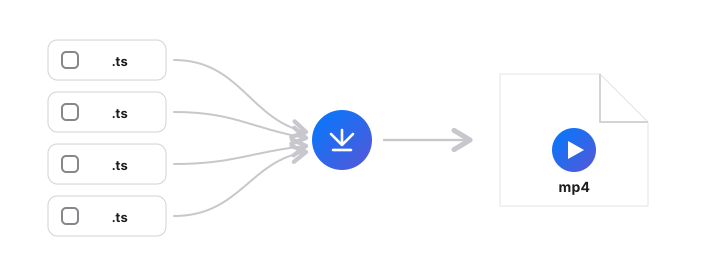
What's an m3u8?
An .m3u8 file is an HTTP Live Streaming (HLS) playlist — a text file that references a sequence of short media segments. Most modern streaming services use HLS because it works over plain HTTP(S) and adapts to bandwidth.
A master playlist looks like this:
#EXTM3U
#EXT-X-STREAM-INF:BANDWIDTH=2600000,RESOLUTION=1280x720
720p/playlist.m3u8
#EXT-X-STREAM-INF:BANDWIDTH=1200000,RESOLUTION=854x480
480p/playlist.m3u8
And a media playlist (child) references the actual segments:
#EXTM3U
#EXT-X-VERSION:3
#EXT-X-TARGETDURATION:10
#EXTINF:10.0,
segment-001.ts
#EXTINF:10.0,
segment-002.ts
...
#EXT-X-ENDLIST
Find the m3u8 URL in 30 seconds
- Open the video page in Chrome, Edge, or Safari
- Open DevTools —
⌘⌥I(Mac) orF12(Windows) - Go to the Network tab
- In the filter box, type
m3u8 - Press play on the video
- The master playlist request will appear — usually ending in
master.m3u8,playlist.m3u8, orindex.m3u8 - Right-click → Copy → Copy link address
Download it with SVD in 4 steps
Install SVD
Mac or Windows build from the home page. Code-signed on macOS.
Paste the m3u8 URL
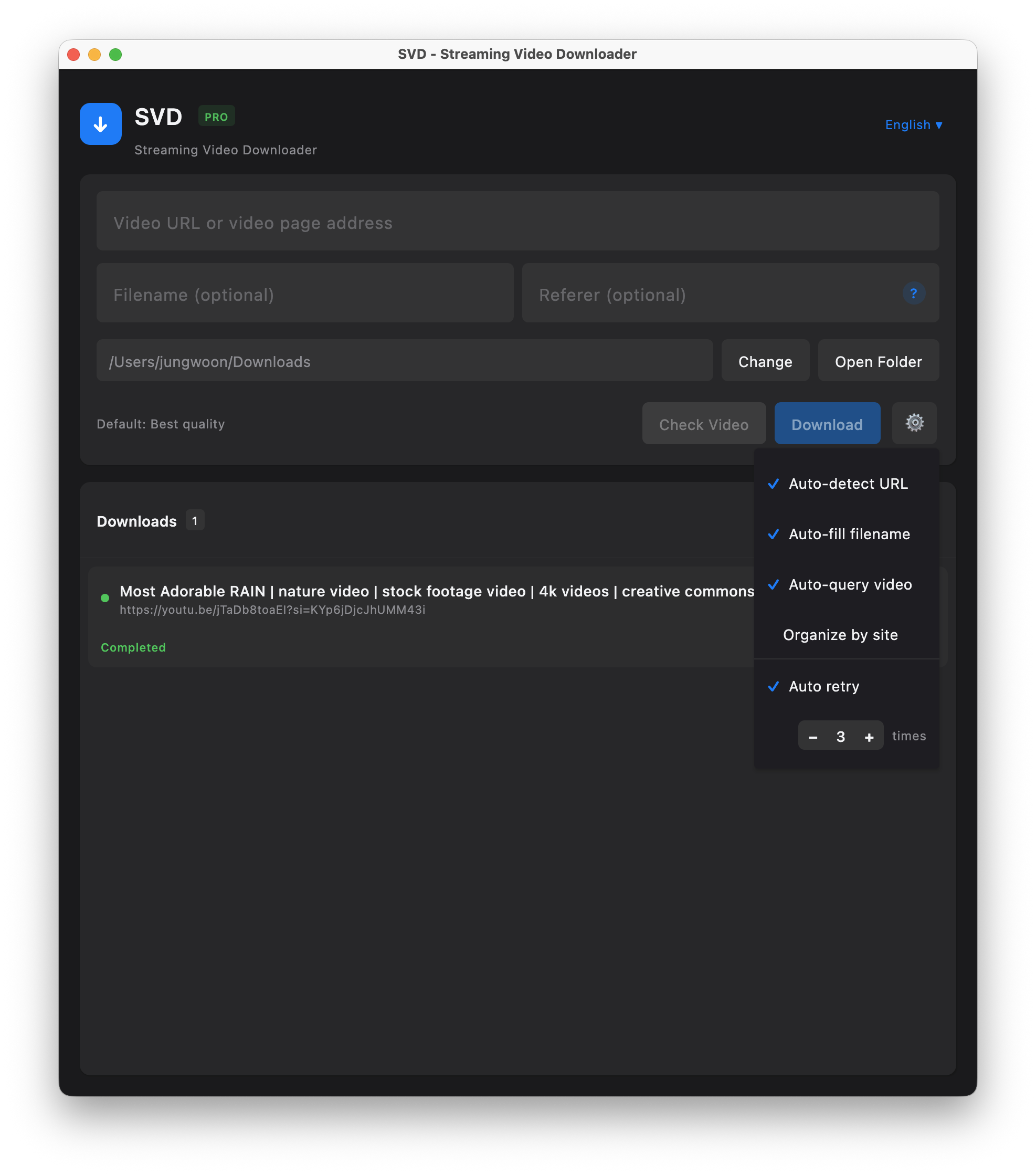
Switch to SVD and the clipboard URL is detected. You can also paste manually into the URL field.
Pick a rendition
SVD lists every rendition referenced by the master playlist. Same-resolution H.264 is preferred for broader device compatibility.
Download to single MP4
Every segment is fetched, decrypted if needed, concatenated, and remuxed to MP4 — no re-encoding, no quality loss.
Ready to try it?
Free 7-day trial. No account. Your streams stay on your machine.
Encrypted HLS: AES-128 vs DRM
HLS supports two main encryption schemes:
- AES-128 with key in playlist (
EXT-X-KEY:METHOD=AES-128,URI="key.bin") — the key is served over HTTPS and accessible to any authenticated client. SVD supports this. - Widevine / FairPlay / PlayReady DRM — the key is released only to a licensed player with a secure hardware path. SVD does not support DRM-protected streams.
If the video plays in a browser that has the Widevine CDM and you're paying for a subscription, that doesn't mean SVD can grab it. Only non-DRM streams are downloadable — which is still the majority of the open web.
Headers, Referer, and authentication
Some servers reject requests that lack a specific Referer or Origin header. SVD's bundled yt-dlp sets these automatically for 1,800+ sites. For a standalone m3u8 URL from a custom site, you can provide cookies from your browser — SVD reads them locally on macOS (Chrome/Safari) and Windows (Edge).
Frequently asked questions
What is an m3u8 file?
It's an HLS playlist — a text file listing a sequence of video segments. Most streaming services use HLS to deliver video over HTTP.
Can SVD download AES-128 encrypted streams?
Yes — when the key is referenced in the playlist via EXT-X-KEY, SVD fetches it and decrypts on the fly. Widevine / FairPlay DRM streams are not supported.
Does SVD handle master playlists?
Yes. Paste the master URL and SVD enumerates every rendition for you.
Can SVD record HLS live streams?
Yes. For live event streams, SVD records in real time until you stop it or the stream ends.
How is this different from yt-dlp CLI?
SVD bundles yt-dlp + ffmpeg behind a native GUI. It auto-updates the extractor and is code-signed — no Gatekeeper warnings. Under the hood, same proven engine.
Download SVD now
Free 7-day trial · No credit card · Apple-notarized (macOS) · Works offline